
Piano Evo: Learn Songs & Music
GMobiler AppsMusic
4.75.00 Reviews
- Version
- 1.0.2
- Installs
- 100.00K
- Age Rating
- Everyone
Screenshots
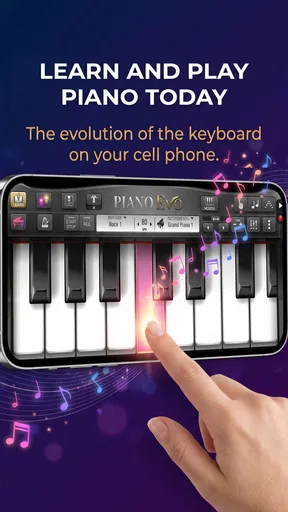
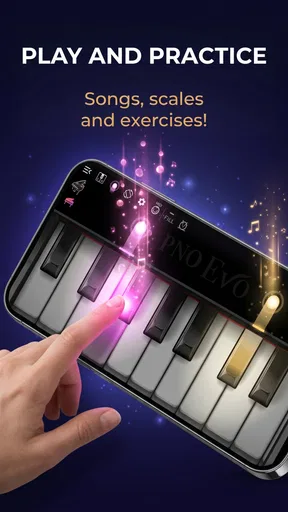
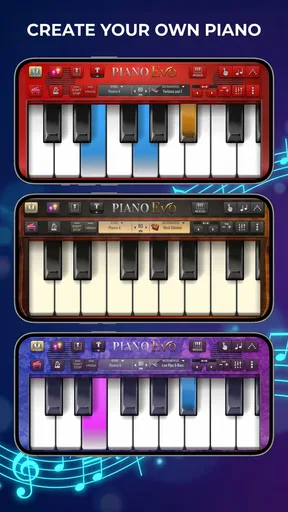
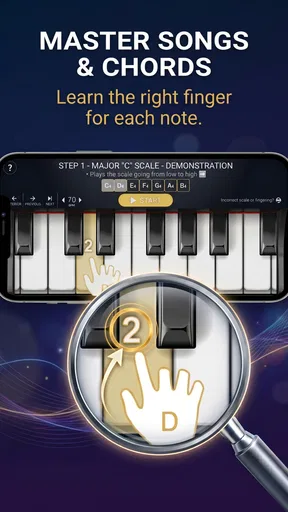
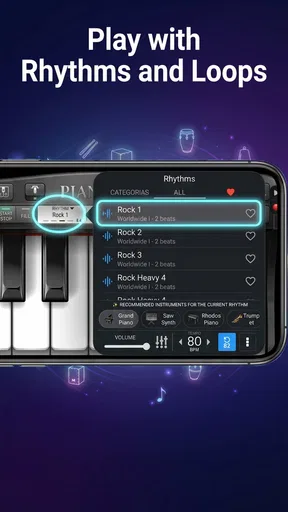
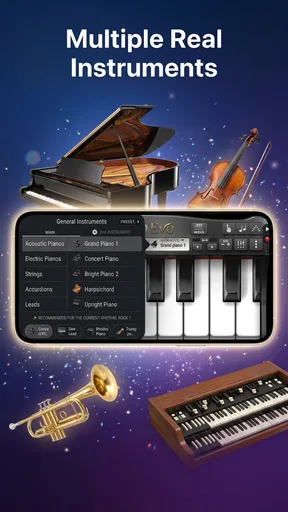
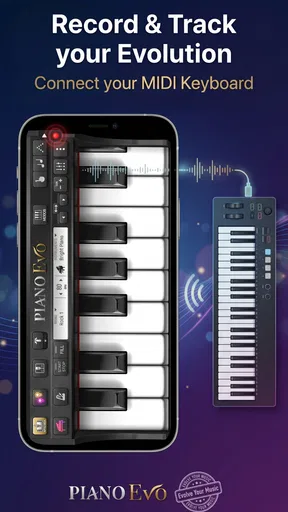
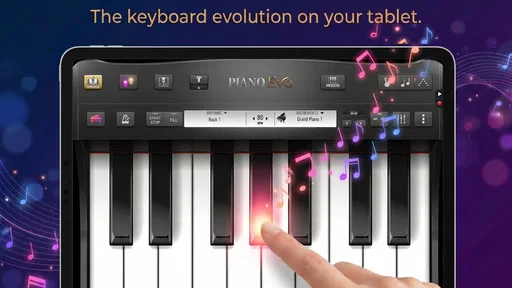
Our Review of Piano Evo: Learn Songs & Music
 Analysis by Appyee
I approached Piano Evo: Learn Songs & Music as a practical music game rather than a replacement for a full piano course. Its main appeal is clear: it puts a playable keyboard on an Android device and combines song practice with lessons, chords, scales, and MIDI support. In my experience, that makes it an inviting way to explore piano ideas when a real instrument is unavailable, although the touch-screen format also creates limits that matter for serious practice.
Developed by GMobiler Apps, this free music game has attracted a 4.7 average from around 649 ratings and has passed 100K+ installs. Those figures suggest that it has found an audience among casual learners and curious players. It is rated for Everyone, runs on Android 7.0 or later, and the current release is version 1.0.2. Optional purchases range from $7.99 to $14.99 per item, so the free entry point is useful, but anyone planning to use it regularly should pay attention to which parts require payment.
How Piano Evo handles reading and navigation
I find reading and navigation work best when I decide what I want to practice before opening a section: a melody, a chord idea, or a scale. That small choice keeps the screen from becoming a tour of unrelated activities and helps me notice whether the musical material is clear at a glance. The next consideration is how comfortably I can interact with it, since an easy-to-follow display is only useful when playing feels manageable.
A straightforward starting point for new players
The strongest first impression is that the concept is easy to understand. You see a keyboard, choose a musical direction, and begin experimenting. That matters for beginners who may find traditional notation, piano terminology, or a large desktop music program intimidating. The combination of songs, chords, and scales gives the game several recognizable entry points instead of forcing every player into the same lesson path.
I particularly like the way this structure can support different learning intentions. Someone who wants to play a familiar melody can begin with songs. Someone more interested in understanding harmony can spend time with chords. A player who wants a more organized foundation can work through scales. These are not interchangeable activities: songs encourage timing and memory, chords show how notes work together, and scales build familiarity with patterns across the keyboard.
The interface is most useful when I treat it as a visual guide rather than a complete teacher. A touch keyboard can show where notes sit and make short practice sessions feel approachable. It is less demanding than sitting at a physical piano for the first time, especially for a user who simply wants to discover whether piano practice is enjoyable. The screen also makes it possible to try ideas privately, without worrying about making loud mistakes in front of other people.
Readable enough for exploration, but screen size matters
Readability depends heavily on the phone or tablet being used. On a larger display, keys and musical prompts have more room to breathe, and it is easier to keep track of a phrase while looking at the keyboard. On a small phone, the same activity can become visually crowded. I would favor a tablet or a device with a generous screen for longer sessions, not because the game requires specialist equipment, but because finger placement and visual tracking become less tiring.
This is an important distinction for learners who are still connecting symbols, note names, and hand movement. If I have to constantly zoom mentally into a cramped layout, I spend more energy finding the controls than listening to the music. Short sessions are more forgiving. For sustained study, a larger screen gives the visual material a better chance of being useful.
Navigation also benefits from a deliberate routine. I would not jump randomly between songs, chords, and scales. A simple sequence works better: begin with a scale or a small note pattern, try a chord built from familiar notes, and then apply that knowledge to a song. This turns the different areas into a connected practice loop rather than a collection of unrelated buttons.
Useful habits for people who read music differently
Players do not all process musical information in the same way. Some learn by seeing note positions, while others need to hear a phrase several times before their fingers understand it. With this kind of app, I would recommend giving each short exercise a listening phase before trying to play along. Hearing the pattern first can reduce the pressure to decode everything instantly.
Another helpful approach is to use one hand at a time when a passage feels confusing. A touch keyboard may encourage quick tapping, but slowing down exposes which part of the phrase is causing trouble. I also find it more productive to repeat a small musical idea than to restart an entire song after every mistake. This is especially relevant for beginners, older learners, and anyone who becomes discouraged by dense visual feedback.
The best way to make the interface readable is to reduce the amount of information you process at once. I would choose one target for each session: locating notes, recognizing a chord shape, keeping a steady rhythm, or remembering a short melody. That approach makes the game feel more inclusive because success does not depend on handling every musical element simultaneously.
Motor and sensory considerations during play
I would judge the physical experience by starting gently rather than assuming that quick tapping suits everyone. Trying a few single notes first can reveal whether the on-screen keys feel easy to target and whether the sound supports concentration; if either becomes tiring, shorter sessions are a sensible adjustment. Those personal differences shape what the game can offer, so it is worth considering where and when it fits into an ordinary day.
Touch input is welcoming, but not identical to piano technique
The virtual keyboard lowers the physical barrier to entry. A player does not need access to a piano, a keyboard stand, or a quiet music room. Tapping a screen can also feel less intimidating than pressing unfamiliar physical keys. For someone testing the waters, this is a real strength.
At the same time, touch input changes what can be learned. A phone does not provide the same key travel, resistance, spacing, or tactile landmarks as a real instrument. I cannot rely on the physical sensation of the keys in the same way I would at a piano. That means the game is better for note awareness, musical patterns, and basic coordination than for developing accurate finger strength or refined piano touch.
This trade-off is easy to overlook. A beginner may become comfortable finding notes on a screen and then feel surprised when a real keyboard demands a different hand position. I would use the app as a bridge to musical understanding, not as proof that virtual practice alone will transfer perfectly to an acoustic or electronic piano.
Different hands and movement needs call for different expectations
Players with limited finger movement may appreciate being able to explore one note at a time without reaching across a full instrument. The compact layout can make small experiments possible in situations where a conventional piano would be impractical. However, the same compactness can create accidental taps, especially when several keys must be played quickly or when a user has difficulty isolating individual fingers.
For that reason, I would begin with slow melodies, single-note exercises, and simple chord shapes. These activities reveal whether the touch controls suit a particular player before more demanding passages are attempted. A stylus may help some users with precision, although the experience will still depend on the device and the player’s comfort. I would not assume that every accessory improves the experience equally.
People who experience hand fatigue should treat the game as a short-session tool. Repeated tapping can become uncomfortable even when the musical task looks simple. Resting between exercises is more sensible than trying to force a long practice block. The app’s portability makes this easy: a few focused minutes can be more useful than an extended session performed with tense hands.
Sound, attention, and sensory load
Music apps can be enjoyable for users who learn through sound, but sound can also become distracting or overwhelming. I would start at a comfortable volume and use headphones only when they genuinely improve concentration. In a shared room, headphones make private practice more considerate, while in a quiet home they may not be necessary.
There is also a difference between hearing a note and understanding it. If several prompts, taps, and musical phrases compete for attention, I would simplify the activity by focusing on one pattern. Players who are sensitive to rapid visual changes or layered sound may prefer slower exercises and fewer simultaneous goals. That is not a flaw unique to this game; it is a practical consideration whenever a music-learning interface combines movement, listening, and visual guidance.
Users who cannot depend on audio should be cautious about treating the game as a complete learning environment. Visual keyboard positions and written musical ideas can still support exploration, but music practice usually involves listening as well as seeing. I would pair the app with another method of confirming pitch or rhythm if hearing is not available or reliable.
Using it in everyday situations
For me, the most realistic routine is a brief practice window when a piano is out of reach, not a long session squeezed into every spare moment. I might use that time to revisit a scale or explore how a chord sounds, then return to a real keyboard later if I want to work on touch and hand position. That distinction helps set fair expectations before weighing the remaining reasons someone might hesitate.
A useful pocket practice tool
The most convincing use case is the in-between moment. Imagine waiting for an appointment with ten quiet minutes available and no access to a piano. Piano Evo can turn that gap into a small exercise: review a scale, identify a chord, or work through a short song idea. The phone format makes experimentation possible without setting up an instrument.
It also suits a beginner who is not ready to commit to lessons or buy hardware. The free price removes an important first obstacle. A user can explore whether chords and scales feel interesting before spending money on a keyboard or a structured course. If the experience creates genuine curiosity, that is already a worthwhile result.
Families may find the Everyone rating reassuring for mixed-age use, but I would still guide younger players through the first sessions. The game can introduce musical vocabulary, yet a child may focus on tapping quickly rather than listening carefully. A parent or older sibling can make the activity more meaningful by asking the player to identify a repeated pattern or explain how a chord differs from a single note.
Where MIDI support changes the picture
MIDI support is one of the more significant details for users who already own compatible music equipment. It suggests that the game is not limited to tapping directly on a phone screen. For those players, the app may fit into a more comfortable setup involving an external keyboard, allowing the screen to provide guidance while the hands interact with actual keys.
I would approach this feature with realistic expectations. MIDI can make the experience more natural for a keyboard owner, but it does not automatically turn the app into a full digital audio workstation, a professional notation tool, or a complete private tutor. Its value is in connecting the learning experience to a more instrument-like input method. Someone who already has suitable equipment may get more lasting use from the app than someone who only wants advanced recording and production features.
A practical workflow would be to use the touch keyboard for quick review away from home, then use the MIDI setup for more deliberate practice at a desk. That division makes sense because the phone is convenient while the physical keyboard offers better spacing and tactile feedback. It also prevents the app from being judged solely as a substitute for hardware when its strongest role may be as a flexible companion.
When a conventional alternative is better
I would choose a dedicated piano-learning course for someone who wants a carefully sequenced curriculum, detailed performance correction, and a clear long-term path. I would choose a physical teacher for a student who needs posture guidance, hand-position correction, or encouragement tailored to individual habits. I would choose a traditional piano app with a stronger notation focus for a player whose main goal is sight-reading rather than interactive exploration.
On the other hand, those alternatives can be more expensive, less portable, or more demanding at the start. Piano Evo occupies a useful middle ground: more focused than simply opening a virtual keyboard, but lighter and less formal than committing to a full course. That makes it particularly suitable for curious beginners, casual players, and existing keyboard owners who want compact practice material.
Remaining barriers before choosing it
I would make the final choice by matching the app to the learner’s actual goal, rather than treating a broad set of music activities as a complete course. A curious beginner may value low-pressure exploration, while someone seeking detailed technique coaching or a carefully structured curriculum may be better served elsewhere. Device comfort and the optional purchase range also deserve a quick check before deciding how much to rely on it.
The free entry point is helpful, but purchases affect the decision
Because the game is free to start, it is easy to test without making an immediate commitment. However, optional items priced from $7.99 to $14.99 can change how attractive it is for someone comparing it with other learning tools. I would spend time with the freely available experience first and only consider a purchase after deciding whether the lessons, songs, or practice style fit my needs.
This is especially important for families and casual users. A person who only wants occasional musical play may not need to buy anything. A committed learner should think about the total value of the available content rather than assuming that a free download provides everything required for a complete course.
It is not a replacement for an instrument
The largest limitation is physical. A screen keyboard cannot fully reproduce the feel of piano keys, the reach across a larger range, or the body coordination involved in playing a real instrument. If my goal were concert preparation, expressive performance, or disciplined technique, I would use a real keyboard alongside this game, not instead of one.
There is also a risk of mistaking recognition for mastery. Knowing where a note appears on the screen is not the same as finding it automatically on a physical keyboard. Recognizing a chord name is not the same as changing between chords smoothly. I would measure progress by whether the app helps me understand and repeat musical ideas, then transfer those ideas to a real instrument whenever possible.
Device differences can influence comfort
The minimum operating-system requirement is Android 7.0, which keeps the app available to a broad range of Android users. Still, operating-system compatibility does not guarantee the same experience on every device. Screen dimensions, touch responsiveness, speaker quality, and available space can all affect how comfortable the keyboard feels.
For users with visual, motor, or sensory needs, this makes personal testing particularly valuable. A short session can answer practical questions that general descriptions cannot: Are the keys easy to distinguish? Can I tap without frequent mistakes? Is the sound comfortable? Can I follow a lesson without becoming overloaded? If the answer is no, a larger device, an external MIDI keyboard, or a different learning method may be the better choice.
My inclusive verdict for different learners
I see Piano Evo as an approachable music game with a useful educational edge. Its combination of songs, chords, scales, and MIDI gives it more purpose than a simple note-tapping toy, while the virtual keyboard keeps the first step relatively gentle. The strongest experience comes from short, focused practice and realistic expectations about what a touch screen can teach.
I would recommend it to beginners who want to explore piano without buying equipment, casual players who enjoy learning through experimentation, and keyboard owners who want a portable companion. It can also suit people who benefit from visual note placement and flexible, low-pressure practice. The Everyone rating and Android 7.0 minimum make it a broadly approachable option for many users.
I would be more hesitant to recommend it as the only tool for advanced students, serious sight-readers, or anyone needing detailed correction of posture and technique. Players with motor or sensory differences should try the interface gently and adapt the session around their own comfort rather than forcing a standard practice style. A physical keyboard, teacher, or more specialized course may offer better support in those cases.
After using it, my view is that the game succeeds when it acts as an accessible doorway into musical ideas. Its real strength is convenience with enough structure to make casual practice feel purposeful. It does not erase the limitations of touch input, and the optional purchases deserve consideration, but it offers a friendly way to start learning, review patterns, and decide whether piano deserves a larger place in your routine.
For me, that makes it worth trying before investing in a more demanding alternative. I would begin with a larger screen if available, keep sessions brief, connect a MIDI keyboard when I wanted more natural control, and use songs only after becoming comfortable with the underlying notes or chords. Used that way, Piano Evo is not a promise of instant musicianship; it is a practical first step that can meet different players where they are.
Verdict
Strengths of Piano Evo: Learn Songs & Music
- Interactive lessons make learning songs feel engaging and rewarding.
- Supports practice at your own pace, making it suitable for busy learners.
- Song-based exercises help connect music theory with practical playing.
- Useful for beginners seeking a structured introduction to piano.
- Progress tracking can encourage regular practice and improvement.
Limitations of Piano Evo: Learn Songs & Music
- Some lessons or songs may require a paid subscription to unlock.
- The app cannot replace feedback from a qualified piano teacher.
- Touchscreen controls may feel less natural than playing a real keyboard.
- Advanced players may find the exercises too basic over time.
- Practice quality depends heavily on your device’s microphone and setup.
Similar Picks in This Category
View All
Tiles Hop Music & Ball Game
AMANOTES PTE. LTD.4.3

Magic Tiles 3™ - Piano Game
AMANOTES PTE. LTD.4.6

Real Piano
Bilkon3.7

Piano Game: Classic Music Song
Dream Tiles Piano Game Studio4.0

Smash Colors: Music Ball Rush
BADSNOWBALL HONGKONG LIMITED4.2

Piano Music Go-EDM Piano Games
Joy Journey Music Games4.5
Frequently Asked Questions
What is Piano Evo: Learn Songs & Music?
Piano Evo: Learn Songs & Music is an educational piano app designed to help beginners and casual musicians practice songs, notes, chords, and basic music concepts on a mobile device. It typically combines interactive lessons with a virtual keyboard, allowing users to follow guided exercises and play at their own pace. It is best viewed as a convenient practice tool rather than a complete replacement for a real piano teacher or acoustic instrument.
Is Piano Evo suitable for complete beginners?
Yes, the app is mainly aimed at people who are starting to learn piano or want a simple way to refresh their skills. Beginners can use the virtual keyboard and guided song practice to become familiar with note positions, rhythm, and hand coordination. However, progress depends on regular practice, and users who need detailed posture, fingering, or technique correction may still benefit from lessons with a qualified instructor.
Can I learn popular songs with Piano Evo?
Piano Evo focuses on helping users practice recognizable songs and musical exercises through an interactive interface. The available song selection, difficulty levels, and learning tools may vary depending on the app version or subscription plan. Before downloading, it is worth checking the current in-app catalog and whether your preferred songs are included, because not every title or lesson is necessarily available for free.
Does Piano Evo require an internet connection or payment?
Some features may work without a constant internet connection, particularly basic keyboard practice, but downloading lessons, synchronizing progress, displaying advertisements, or accessing online content may require connectivity. The app may also include optional purchases or a subscription for premium songs, advanced lessons, or an ad-free experience. Review the store listing and payment terms carefully before starting a trial to avoid unexpected charges.
Is Piano Evo a good replacement for a real piano or professional lessons?
Piano Evo can be useful for convenient practice, especially when you do not have access to a physical keyboard or want to study for a few minutes at a time. Nevertheless, playing on a touchscreen does not fully reproduce the feel, resistance, sound, or dynamics of a real piano. The app is most effective as a supplementary learning aid, while structured instruction remains preferable for advanced technique and long-term musical development.
Play our best games!


